
MariaDB Tutorial / Build a Local MariaDB Lab with Docker Compose
Docker Compose can define a MariaDB container, its connection port, and persistent storage in one file. It provides a separate learning environment without installing a database service on your PC, but removing a container and removing its data volume have different consequences.
Define the lab and check its prerequisites
Docker runs an application in a container; Compose describes its runtime configuration in a YAML file. This lab starts one database and exposes it on 127.0.0.1:3307 on your computer. Using a separate host port allows it to coexist with a server already using port 3306. Use Troubleshoot Local and Remote MariaDB Connections to distinguish connection paths and Back Up an InnoDB Database with mariadb-dump to define what must be retained outside the data volume.
Install Docker Engine with the Compose plugin or Docker Desktop using the official Compose installation instructions. On Windows, use Linux containers. Start the Docker engine and confirm that both commands below work before creating the database.
docker version
docker compose version
The configuration deliberately uses the mariadb:11.8 image family. That tag can move to a newer patch image; record an approved patch tag or digest when exact reproduction matters. The YAML structure and SQL below were checked locally; image startup, healthcheck execution, and volume persistence still require a Docker environment.
Create the project and password files
- Create a new folder named
mariadb-appopsand open a terminal in that folder. Do not run these commands from an unrelated Compose project. - Create a
secretssubfolder containingroot-password.txtandapp-password.txt. Put one different lab password in each UTF-8 text file; do not leave them empty or include explanatory text. - Save the following Compose configuration as
compose.yaml. Create a.gitignorewith the two lines below, exclude password files from version control, and restrict access to them.
secrets/
.env
Compose secrets provide files to selected services; they do not turn the local source files into an encrypted password vault. Protect both the files and access to Docker. The Compose secrets documentation explains the file mounts and Linux-container requirement.
Understand the complete Compose configuration
name: mariadb-appops
services:
  db:
    image: mariadb:11.8
    ports:
      - "127.0.0.1:3307:3306"
    environment:
      MARIADB_ROOT_PASSWORD_FILE: /run/secrets/root_password
      MARIADB_DATABASE: appops_lab
      MARIADB_USER: app_user
      MARIADB_PASSWORD_FILE: /run/secrets/app_password
    secrets:
      - root_password
      - app_password
    volumes:
      - db_data:/var/lib/mysql
    healthcheck:
      test: ["CMD", "healthcheck.sh", "--connect", "--innodb_initialized"]
      interval: 10s
      timeout: 5s
      retries: 10
      start_period: 30s
secrets:
  root_password:
    file: ./secrets/root-password.txt
  app_password:
    file: ./secrets/app-password.txt
volumes:
  db_data:
The host listens on port 3307 while MariaDB listens on port 3306 inside the container. A client on your PC uses 127.0.0.1:3307; another service on the same Compose network uses db:3306. Binding the published port to loopback limits this lab endpoint to local access.
The named volume db_data stores the data directory. Passwords are read through the _FILE variables. The official image environment-variable reference describes initialization: database, user, and password creation applies to a new data directory. Editing a password file does not change an account already stored in an initialized volume.
The official healthcheck.sh script checks connection readiness and InnoDB initialization. A running container alone does not establish that MariaDB is ready to accept the exercise queries.
Start the service and verify a stored row
docker compose config --quiet
docker compose up -d
docker compose ps
docker compose logs --tail=80 db
The first command checks the configuration. Confirm that the service becomes healthy, and inspect its initialization log if it does not. Missing secret files and an occupied host port require fixing their paths or port assignment before retrying.
docker compose exec db mariadb --default-character-set=utf8mb4 -u app_user -p appops_lab
Enter the password from app-password.txt when prompted. Run the following complete SQL in the client; it returns one row. The table creation is intended for the first run. If the table already exists, inspect the existing exercise rather than blindly rerunning its setup.
USE appops_lab;
CREATE TABLE docker_notes (
  note_id INT NOT NULL PRIMARY KEY,
  note_text VARCHAR(80) NOT NULL
) ENGINE=InnoDB DEFAULT CHARSET=utf8mb4;
INSERT INTO docker_notes VALUES (1, 'volume survives container replacement');
SELECT note_id, note_text FROM docker_notes;
If your PC has a MariaDB client, the following command reaches the same server through the published host port. Using 3306 here could connect to a different local database.
mariadb --protocol=tcp --host=127.0.0.1 --port=3307 --default-character-set=utf8mb4 -u app_user -p appops_lab
Replace the container without discarding its volume
docker compose down
docker compose up -d
With this configuration, ordinary down removes the containers and project network while retaining the named data volume. After the replacement becomes healthy, reconnect and run SELECT * FROM docker_notes;. The previously inserted row should still be present; checking it verifies persistence rather than merely assuming it.
docker compose down --volumes also removes named volumes and can discard the database. Do not use it as a restart command. Run it only when you have confirmed that this project’s lab data is disposable. A volume is not a backup; use the database backup workflow for data you need to retain. The Compose down reference details the deletion scope.
Diagnose connection failures before resetting data
| Symptom | Check |
|---|---|
| Cannot contact the Docker engine | Whether Docker Desktop or Engine is running, and which Docker context is selected |
| Published port is occupied | Host port 3307; update the PC client port if you change it |
| Access denied | Account and password actually used during initialization, and whether the volume already existed |
| Container running but SQL unavailable | Health status, initialization logs, and the difference between db inside the network and 127.0.0.1 on the host |
| Unexpected data after recreation | Project name mariadb-appops, working folder, connection port, and mounted volume |
Do not make volume deletion the first troubleshooting step. Identify the server and data directory you are using, then decide whether the problem requires a configuration change or an intentional fresh initialization.
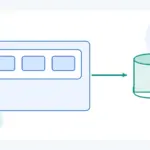
MariaDB Tutorial / Build a Local MariaDB Lab with Docker Compose
Configure a local MariaDB container with Compose, file-based secrets, a healthcheck, and a named volume. Verify connections and distinguish container replacement from deleting persistent data.

MariaDB Tutorial / Store Dates and Times with DATE, DATETIME, and TIMESTAMP
Choose DATE, DATETIME, or TIMESTAMP by the meaning of a time value. Run a controlled time-zone comparison, check version-dependent limits and invalid dates, and restore the original session settings.

MariaDB Tutorial / Read EXPLAIN and Compare Plans Before and After an Index
Use a thousand-row fixture to compare EXPLAIN before and after indexing with the actual returned rows. Distinguish ANALYZE FORMAT=JSON execution data from statistics maintenance.

MariaDB Tutorial / Compare ROW_NUMBER, RANK, and DENSE_RANK
Compare ROW_NUMBER, RANK and DENSE_RANK on customer totals, then run regional rankings and an outer top-N filter. Check how a row limit differs from retaining tied ranks.

MariaDB Tutorial / Design Single and Composite Indexes for Real Queries
Inspect existing keys, create a customer–time composite index and review leading columns, covering access and foreign-key dependencies. Preserve query results while evaluating read, write and storage costs.

MariaDB Tutorial / Import and Export CSV with Correct Paths, Types, and Encoding
Stage and validate a UTF-8 CSV before converting IDs and prices, then export through a server-side path. Review quoting, warnings, normalized duplicates, numeric bounds and field-level round-trip checks.
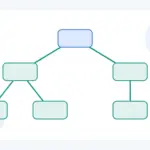
MariaDB Tutorial / Query Hierarchies and Prevent Cycles with Recursive CTEs
Traverse a complete category tree with WITH RECURSIVE, depth, and path tracking. Change the traversal bound, introduce a controlled cycle, and distinguish a finite result from a complete and valid hierarchy.

MariaDB Tutorial / Check Target Rows Before UPDATE and DELETE
Inspect and lock precise target rows, verify UPDATE and DELETE results, and roll back independent InnoDB exercises. Understand affected-row counts, connection requirements and recovery boundaries.

MariaDB Tutorial / Create a Product Table, Insert Data, and Query It
Build a complete product table, insert three records, and verify its definition and query results. Practice price and stock filters, understand rerun behavior, and reset only confirmed disposable tutorial data.

MariaDB Tutorial / Restore a Backup into a Separate Database and Verify It
Review a SQL dump, restore it into a verified empty database and compare object definitions, rows and goods totals. Handle source-file errors, compatibility and partial-restoration states explicitly.