
MariaDB Tutorial / Avoid Duplicate Totals When Joining Multiple Tables
Before aggregating a multi-table JOIN, identify what one joined row represents. Joining orders to items repeats order attributes for every item, so order-level amounts such as shipping fees must be calculated at an order-level grain or joined after the details have been summarized.
Distinguish customer, order, item and product facts
A screen with customer name, order date, product name and quantity joins four tables. Its final row represents one order item, not an entire order. Missing that distinction duplicates not only order counts but also fees and discounts charged once per order. Use Keep Unmatched Rows with LEFT JOIN to decide which base rows must remain, and Build and Reconcile Monthly Sales, Customer Totals, and Unsold Products to reconcile the same grain checks across multiple reports.
| Value | Original grain | After joining items |
|---|---|---|
| customer_name | Customer | Repeated for each matching item |
| shipping_fee | Order | Repeated for every item in the order |
| quantity × unit_price | Item | Can be added as an item amount |
| Current product price | Product | Must not replace historical purchase price |
Check the MariaDB documentation for the syntax and conditions used here: join syntax.
Prepare historical item prices and shipping fees
Connect to the learning server as course_user and select shopcourse. The command-line and UTF-8 SQL-file guide explains how to save the code as a UTF-8 file and execute it with SOURCE C:/mariadb-lab/lesson.sql;, replacing the path with the actual file. Run SQL inside the MariaDB client, rather than at the operating-system prompt.
Check SELECT VERSION(), DATABASE(); and SHOW TABLES; before creating c28_customers, c28_products, c28_orders, c28_items. These names belong only to this exercise. If they exist, inspect their definitions and rows first; remove them only when you have established that they are disposable exercise objects. Do not replace existing application tables.
USE shopcourse;
CREATE TABLE c28_customers (
 customer_id INT NOT NULL PRIMARY KEY,
 customer_name VARCHAR(50) NOT NULL,
 city VARCHAR(30) NOT NULL
) ENGINE=InnoDB DEFAULT CHARSET=utf8mb4 COLLATE=utf8mb4_unicode_ci;
CREATE TABLE c28_products (
 product_id INT NOT NULL PRIMARY KEY,
 product_name VARCHAR(100) NOT NULL,
 category VARCHAR(30) NOT NULL,
 price DECIMAL(10,2) NOT NULL CHECK (price >= 0),
 stock INT NOT NULL CHECK (stock >= 0)
) ENGINE=InnoDB DEFAULT CHARSET=utf8mb4 COLLATE=utf8mb4_unicode_ci;
CREATE TABLE c28_orders (
 order_id INT NOT NULL PRIMARY KEY,
 customer_id INT NOT NULL,
 ordered_at DATETIME NOT NULL,
 status VARCHAR(20) NOT NULL,
 shipping_fee DECIMAL(10,2) NOT NULL DEFAULT 1000,
 CONSTRAINT fk_c28_order_customer FOREIGN KEY (customer_id)
  REFERENCES c28_customers(customer_id) ON DELETE RESTRICT
) ENGINE=InnoDB DEFAULT CHARSET=utf8mb4 COLLATE=utf8mb4_unicode_ci;
CREATE TABLE c28_items (
 order_id INT NOT NULL,
 product_id INT NOT NULL,
 quantity INT NOT NULL CHECK (quantity > 0),
 unit_price DECIMAL(10,2) NOT NULL CHECK (unit_price >= 0),
 PRIMARY KEY (order_id, product_id),
 CONSTRAINT fk_c28_item_order FOREIGN KEY (order_id)
  REFERENCES c28_orders(order_id) ON DELETE RESTRICT,
 CONSTRAINT fk_c28_item_product FOREIGN KEY (product_id)
  REFERENCES c28_products(product_id) ON DELETE RESTRICT
) ENGINE=InnoDB DEFAULT CHARSET=utf8mb4 COLLATE=utf8mb4_unicode_ci;
INSERT INTO c28_customers VALUES
 (1,'김민수','서울'),(2,'이서연','부산'),
 (3,'박지우','서울'),(4,'최하늘','대전');
INSERT INTO c28_products VALUES
 (1,'노트','문구',3500,20),(2,'볼펜','문구',1500,50),
 (3,'머그컵','생활',8000,12),(4,'스탠드','생활',25000,5);
INSERT INTO c28_orders
 (order_id,customer_id,ordered_at,status,shipping_fee) VALUES
 (101,1,'2026-01-10 10:00:00','paid',1000),
 (102,1,'2026-01-20 11:00:00','paid',1000),
 (103,2,'2026-02-05 12:00:00','paid',1000),
 (104,3,'2026-02-10 13:00:00','canceled',1000);
INSERT INTO c28_items VALUES
 (101,1,2,3500),(101,2,3,1500),(102,3,1,8000),
 (103,1,1,3500),(103,3,2,8000),(104,2,1,1500);
The SQL retains Korean sample names and city strings, while the explanations use stable customer and product IDs. Products 1–4 are a notebook, pen, mug and lamp. Customers 1 and 3 have the Seoul city value; customers 2 and 4 have Busan and Daejeon values. Preserve the supplied UTF-8 literals when reproducing the results.
Paid orders 101, 102 and 103 have two, one and two items respectively: five paid item rows. Each order has a shipping fee of 1000. These small counts let you trace how often each value is repeated.
Join all four tables using their relationship keys
SELECT o.order_id,c.customer_name,p.product_name,i.quantity,i.unit_price,
 i.quantity*i.unit_price AS line_total
FROM c28_orders o JOIN c28_customers c ON c.customer_id=o.customer_id
JOIN c28_items i ON i.order_id=o.order_id
JOIN c28_products p ON p.product_id=i.product_id
WHERE o.status='paid' ORDER BY o.order_id,i.product_id;
Order 101 has goods worth 7000 + 4500 = 11500, order 102 has 8000, and order 103 has 3500 + 16000 = 19500. The paid goods total is 39000. Read product names from products but calculate amounts with the order item’s unit_price, so a later current-price change does not alter historical totals.
Observe duplicated order-level shipping
SELECT COUNT(*) AS joined_rows,COUNT(DISTINCT o.order_id) AS orders_count,
 SUM(o.shipping_fee) AS duplicated_shipping,SUM(i.quantity*i.unit_price) AS sales
FROM c28_orders o JOIN c28_items i ON i.order_id=o.order_id
WHERE o.status='paid';
The result is joined_rows=5, orders_count=3, duplicated_shipping=5000.00 and sales=39000.00. Correct shipping is 3000.00 for three orders; the detail join added two extra copies. COUNT(DISTINCT order_id) repairs the order count but does not also repair other aggregates.
SUM(DISTINCT shipping_fee) would collapse the identical value 1000 across different orders and return only 1000. Value-level deduplication is not the same as adding each order once. DISTINCT is therefore not a universal patch for inflated totals.
Summarize items per order before joining
SELECT COUNT(*) AS orders_count,SUM(o.shipping_fee) AS shipping_total,
 SUM(d.goods_total) AS goods_total
FROM c28_orders o
JOIN (SELECT order_id,SUM(quantity*unit_price) AS goods_total
 FROM c28_items GROUP BY order_id) d ON d.order_id=o.order_id
WHERE o.status='paid';
The derived query produces one goods_total per order. Joining those rows back to orders yields orders_count=3, shipping_total=3000.00 and goods_total=39000.00. More item rows no longer cause extra copies of the fee.
This example considers paid orders that have items. If orders without items must also appear, choose LEFT JOIN and an appropriate missing-total policy. The LEFT JOIN discussion explains why this is a definition of the report’s population, not merely a syntax change.
Inspect multiplicity after every join
Add one table at a time while displaying keys and counts. Unexpected growth can indicate nonunique join keys or an omitted condition. Joining two detail collections separately to the same order can create a product of their rows; summarize each collection at the required grain before combining metrics. Reconcile a small order by hand before trusting the larger report.
Before repeating the exercise, inspect the selected database, actual table definitions and stored rows, and back up anything that must be kept. Drop only this article’s disposable practice objects, with child tables before their referenced parents. DROP TABLE removes both definitions and rows and cannot be undone by an ordinary ROLLBACK; keep cleanup separate from transaction experiments.
DROP TABLE shopcourse.c28_items;
DROP TABLE shopcourse.c28_orders;
DROP TABLE shopcourse.c28_products;
DROP TABLE shopcourse.c28_customers;

MariaDB Tutorial / Check Target Rows Before UPDATE and DELETE
Inspect and lock precise target rows, verify UPDATE and DELETE results, and roll back independent InnoDB exercises. Understand affected-row counts, connection requirements and recovery boundaries.

MariaDB Tutorial / Choose Numeric Types: Integers, DECIMAL, FLOAT, and DOUBLE
Choose MariaDB numeric types by range, signedness, decimal scale, and acceptable approximation. Run a comparison of DECIMAL, FLOAT, and DOUBLE, then check rounding, overflow errors, and session-mode restoration.

MariaDB Tutorial / Build and Reconcile Monthly Sales, Customer Totals, and Unsold Products
Create three related MariaDB reports from one order fixture, retain nonbuyers and find products without paid sales. Reconcile monthly and customer amounts and inspect join, status and date boundaries.

MariaDB Tutorial / Calculate, Round, and Convert Numbers with ROUND and CAST
Use exact DECIMAL inputs with ROUND and CAST, compare expected discount and midpoint results, and inspect conversion warnings, leading-zero loss and rounding-stage choices.

MariaDB Tutorial / Create a Product Table, Insert Data, and Query It
Build a complete product table, insert three records, and verify its definition and query results. Practice price and stock filters, understand rerun behavior, and reset only confirmed disposable tutorial data.

MariaDB Tutorial / Restore a Backup into a Separate Database and Verify It
Review a SQL dump, restore it into a verified empty database and compare object definitions, rows and goods totals. Handle source-file errors, compatibility and partial-restoration states explicitly.

MariaDB Tutorial / Group Results with GROUP BY and Filter Groups with HAVING
Create category-level COUNT and SUM reports, distinguish WHERE from HAVING, and reconcile expected groups. Review output grain, ONLY_FULL_GROUP_BY, NULL keys and joined duplicates.

MariaDB Tutorial / Build, Secure, Back Up, and Verify an Order Database
Complete an order-database workflow using constrained tables, a limited app account and a checked stock transaction. Define and compare committed-state backup and restoration criteria, including denied operations.
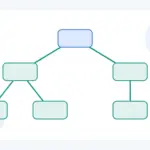
MariaDB Tutorial / Query Hierarchies and Prevent Cycles with Recursive CTEs
Traverse a complete category tree with WITH RECURSIVE, depth, and path tracking. Change the traversal bound, introduce a controlled cycle, and distinguish a finite result from a complete and valid hierarchy.

MariaDB Tutorial / Select Columns, Aliases, Calculations, and DISTINCT
Read explicit columns, label results with AS, calculate per-product stock values and understand how DISTINCT treats complete row combinations. Compare expected values and troubleshoot aliases and filters.