
MariaDB Tutorial / Check Target Rows Before UPDATE and DELETE
UPDATE changes stored values and DELETE removes qualifying rows. First inspect the same WHERE condition, then verify the change inside an InnoDB transaction before choosing COMMIT or ROLLBACK; this reduces avoidable mistakes but does not replace a recovery plan.
Define the target, recovery boundary and commit point
Both experiments below end with ROLLBACK. They teach review before confirmation on an independent practice table, rather than guarantee recovery for production data. Important changes need tested backups, suitable privileges and a concurrency policy. Start InnoDB Transactions with COMMIT and ROLLBACK demonstrates commit/rollback boundaries, and Compare Isolation Levels, Locks, and Deadlocks with Two Connections separately observes waiting and conflicts between concurrent connections.
| Check | How | Why |
|---|---|---|
| Server and database | Connection details; SELECT DATABASE() | Avoid the wrong target |
| Engine | SHOW CREATE TABLE | The example needs InnoDB |
| Rows | SELECT with the same WHERE | Inspect stable IDs and expected current values |
| Result | Immediate ROW_COUNT; read back | Check the number and values changed |
| Completion | COMMIT or ROLLBACK | End this connection’s transaction |
An UPDATE or DELETE without WHERE targets all rows. A confirmation screen or LIMIT alone does not establish a safe scope; the write must still evaluate an appropriate condition immediately before changing data.
Check the MariaDB documentation for the syntax and conditions used here: row_count, DELETE, UPDATE, for update.
Prepare the table and check connection behavior
Connect to the learning server as course_user and select shopcourse. The command-line and UTF-8 SQL-file guide explains how to save the code as a UTF-8 file and execute it with SOURCE C:/mariadb-lab/lesson.sql;, replacing the path with the actual file. Run SQL inside the MariaDB client, rather than at the operating-system prompt.
Check SELECT VERSION(), DATABASE(); and SHOW TABLES; before creating products_18_lab. These names belong only to this exercise. If they exist, inspect their definitions and rows first; remove them only when you have established that they are disposable exercise objects. Do not replace existing application tables.
USE shopcourse;
CREATE TABLE products_18_lab (
  product_id INT NOT NULL AUTO_INCREMENT,
  product_name VARCHAR(100) NOT NULL,
  category VARCHAR(30) NOT NULL,
  price DECIMAL(10,2) NOT NULL,
  stock INT NOT NULL DEFAULT 0,
  note VARCHAR(100) NULL DEFAULT NULL,
  PRIMARY KEY (product_id),
  CONSTRAINT ck_p18_price CHECK (price >= 0),
  CONSTRAINT ck_p18_stock CHECK (stock >= 0)
) ENGINE=InnoDB DEFAULT CHARSET=utf8mb4 COLLATE=utf8mb4_unicode_ci;
INSERT INTO products_18_lab
  (product_id, product_name, category, price, stock, note)
VALUES (1, '노트', '문구', 3500.00, 20, NULL),
  (2, '볼펜', '문구', 1500.00, 0, ''),
  (3, '머그컵', '생활', 8000.00, 12, '선물 포장'),
  (4, '스탠드', '생활', 25000.00, 5, NULL),
  (5, '파일', '문구', 1500.00, 50, ''),
  (6, '케이블', '전자', 8000.00, 0, '호환 확인');
The SQL retains the original Korean sample strings to exercise UTF-8 consistently. Product identifiers 1–6 represent a notebook, pen, mug, lamp, folder and cable; their category strings mean stationery, household and electronics. Enter the string literals as shown, use the identifiers when comparing results, and save the file with UTF-8 encoding.
SELECT DATABASE() AS selected_database, @@autocommit AS autocommit_mode;
SHOW CREATE TABLE products_18_lab;
Confirm ENGINE=InnoDB. An explicit START TRANSACTION can be ended with COMMIT or ROLLBACK even when the connection normally has autocommit=1. All statements must stay in the same connection; a tool that opens a new connection or commits after every statement needs different handling. Finish DDL before beginning the transaction exercise.
Lock and verify the expected stock before changing it
Product 1 starts with stock 20. Read that expected state, start a transaction and read the same condition with FOR UPDATE. If another writer has changed the value, stop and investigate rather than weaken the condition merely to obtain a match.
SELECT product_id, product_name, stock FROM products_18_lab
WHERE product_id = 1 AND stock = 20;
START TRANSACTION;
SELECT product_id, product_name, stock FROM products_18_lab
WHERE product_id = 1 AND stock = 20 FOR UPDATE;
UPDATE products_18_lab SET stock = stock - 3
WHERE product_id = 1 AND stock = 20;
SELECT ROW_COUNT() AS changed_rows;
SELECT product_id, stock FROM products_18_lab WHERE product_id = 1;
ROLLBACK;
SELECT product_id, stock FROM products_18_lab WHERE product_id = 1;
changed_rows is 1, stock becomes 17 inside the transaction, and ROLLBACK restores 20. The expression subtracts from the current stored value while the WHERE clause checks the expected prior stock. Locks remain until the transaction ends, so do not leave a transaction open while waiting for lengthy user input.
Lock scope depends on indexes, conditions and isolation. This example targets one primary-key row; it does not eliminate every conflict or deadlock. Recheck an error or timeout and explicitly finish the transaction.
Delete one reviewed row and verify rollback
The target is only ID 2 with zero stock. ID 6 also has zero stock but is outside this deletion. Include the unique ID and reviewed value rather than accidentally broaden the condition to every sold-out product.
SELECT product_id, product_name, stock FROM products_18_lab
WHERE product_id = 2 AND stock = 0;
START TRANSACTION;
SELECT product_id, product_name, stock FROM products_18_lab
WHERE product_id = 2 AND stock = 0 FOR UPDATE;
DELETE FROM products_18_lab WHERE product_id = 2 AND stock = 0;
SELECT ROW_COUNT() AS deleted_rows;
SELECT COUNT(*) AS rows_inside_transaction FROM products_18_lab;
ROLLBACK;
SELECT COUNT(*) AS rows_after_rollback FROM products_18_lab;
deleted_rows is 1; the count falls to five inside the transaction and returns to six after ROLLBACK. Query ID 2 again to verify the product itself returned. DELETE removes qualifying rows without removing the table’s column definitions.
Interpret zero affected rows correctly
START TRANSACTION;
UPDATE products_18_lab SET stock = stock
WHERE product_id = 1;
SELECT ROW_COUNT() AS changed_rows;
ROLLBACK;
In an ordinary command-line connection, assigning a column to its existing value reports zero actually changed rows. Zero can therefore mean an unchanged value, no matching row or a failed expected-value condition. Clients using CLIENT_FOUND_ROWS can report matched rows instead, so check driver settings before interpreting a count.
Read ROW_COUNT immediately after the write. If the count or values differ from the plan, roll back and review the SELECT condition. A separate operation intended to persist data would choose COMMIT and read back the committed state; this normal practice sequence deliberately avoids committing its trial modifications.
Recognize what ROLLBACK cannot reverse
ROLLBACK applies to uncommitted transactional work in this connection. It does not undo a prior COMMIT, an already autocommitted change or arbitrary work on nontransactional engines. CREATE, DROP and TRUNCATE have DDL and implicit-commit boundaries and should not be mixed into this rollback exercise.
If safe-update settings reject a statement, inspect primary-key conditions and scope before disabling a protection. After an unintended committed production change, stop further writes and assess backup and log recovery. Applying an opposite arithmetic update is not a universal restoration method.
Before repeating the exercise, inspect the selected database, actual table definitions and stored rows, and back up anything that must be kept. Drop only this article’s disposable practice objects, with child tables before their referenced parents. DROP TABLE removes both definitions and rows and cannot be undone by an ordinary ROLLBACK; keep cleanup separate from transaction experiments.
DROP TABLE shopcourse.products_18_lab;

MariaDB Tutorial / Combine Query Results with UNION and UNION ALL
Stack compatible customer-query results, compare UNION with UNION ALL and observe how source labels change duplicate detection. Check column meaning, result types and ordering scope.

MariaDB Tutorial / Use Subqueries, EXISTS, and NOT EXISTS
Choose scalar and existence subqueries according to the result needed. Compare paid-order customers and absent-order customers, inspect correlation keys and avoid NULL-related exclusion assumptions.

MariaDB Tutorial / Design Single and Composite Indexes for Real Queries
Inspect existing keys, create a customer–time composite index and review leading columns, covering access and foreign-key dependencies. Preserve query results while evaluating read, write and storage costs.

MariaDB Tutorial / Build and Reconcile Monthly Sales, Customer Totals, and Unsold Products
Create three related MariaDB reports from one order fixture, retain nonbuyers and find products without paid sales. Reconcile monthly and customer amounts and inspect join, status and date boundaries.

MariaDB Tutorial / Choose Numeric Types: Integers, DECIMAL, FLOAT, and DOUBLE
Choose MariaDB numeric types by range, signedness, decimal scale, and acceptable approximation. Run a comparison of DECIMAL, FLOAT, and DOUBLE, then check rounding, overflow errors, and session-mode restoration.

MariaDB Tutorial / Troubleshoot Local and Remote MariaDB Connections
Diagnose MariaDB connections by layer, verify local TCP identity and actual table access, and review remote listener, host, firewall and certificate requirements without weakening checks by default.

MariaDB Tutorial / Insert One Row or Multiple Rows with INSERT
Practice single-row and multi-row INSERT statements, inspect stored values and defaults, and test duplicate keys, mismatched value counts and required inputs without changing existing product tables.
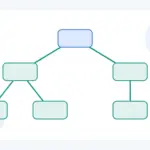
MariaDB Tutorial / Query Hierarchies and Prevent Cycles with Recursive CTEs
Traverse a complete category tree with WITH RECURSIVE, depth, and path tracking. Change the traversal bound, introduce a controlled cycle, and distinguish a finite result from a complete and valid hierarchy.

MariaDB Tutorial / Change Table Structure Safely with ALTER TABLE
Practice an add-fill-constrain migration with a product SKU column, verify counts and rejected duplicates, and review metadata locks, online-change limits and recovery boundaries.

MariaDB Tutorial / Build, Secure, Back Up, and Verify an Order Database
Complete an order-database workflow using constrained tables, a limited app account and a checked stock transaction. Define and compare committed-state backup and restoration criteria, including denied operations.