
HTML Tutorial / Set the Page Title, Description, Language, and Encoding
An HTML document's head holds information such as its browser-tab title, character encoding, and page description. The document's default language belongs on html lang. These settings help browsers and other tools interpret and describe the page, but they do not replace readable content in body.
Start with a complete document
<!doctype html>
<html lang="en">
<head>
  <meta charset="utf-8">
  <meta name="viewport" content="width=device-width, initial-scale=1">
  <title>Small Garden | Plant Care Guide</title>
  <meta name="description"
        content="Learn about beginner-friendly plants and basic care in the Small Garden guide.">
</head>
<body>
  <h1>Small Garden</h1>
  <p>Start learning how to care for plants.</p>
</body>
</html>
Save the code as index.html and open it in a browser. The title appears on the browser tab, while the h1 is visible on the page. They serve different purposes but should describe the same page consistently. The example's h1 is inside a sample document, not a second heading in this tutorial post.
Most head content is not shown as normal page text. Put instructions and explanations readers should see in body. On a multipage site, write a distinct, accurate title and description for each page rather than copying the same site name everywhere.
Set the language and character encoding
lang="en" says the document's default language is English. It can help assistive technology pronounce and process content. Use the actual page language; an occasional phrase in another language does not require changing the entire document's lang. A longer passage in a different language can have its own language attribute.
meta charset="utf-8" declares the character encoding. Save the file itself as UTF-8 too. If characters appear corrupted, check both the editor's save encoding and, when served online, the server's response headers. Changing the tag alone cannot repair a file saved in a different encoding.
Understand description and viewport
The description should summarize what readers will find on this specific page, not list keywords. Search engines may generate a result snippet from the page text or metadata, so the written description is not guaranteed to appear verbatim. See Google's search-snippet documentation.
The viewport setting affects the layout viewport and initial scale on mobile devices. It is useful with responsive CSS, but the tag alone does not make every element fit a phone. Do not restrict zoom merely because the text looks small; fix the CSS and type size instead. See the MDN meta reference and title reference.
Review the page before sharing it
Check that each tab title distinguishes its page, the visible heading describes the same subject, and characters display correctly. If you wrote a description, compare it with the current body rather than an older version. Open the page at a phone-sized width and test zoom and horizontal scrolling; metadata and layout need to work together.

HTML Tutorial / Accessible Tables: caption, scope, and Spanning Cells
Make table headings and data relationships clear with caption, th, and scope, and learn when colspan or rowspan makes a table harder to read.

HTML Tutorial / Embed Audio, Video, and External Content
Add audio and video controls, captions, and an iframe while checking file paths, formats, accessibility, and external embed policies.

HTML Tutorial / Basic Structure of an HTML Document
Learn the roles of doctype, html, head, and body, then save your first HTML file and open it in a browser. Includes a complete example, a diagram, and fixes for common filename, refresh, and encoding problems.
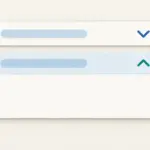
HTML Tutorial / Create Expandable Content with details and summary
Create keyboard-operable expandable content with details and summary, and decide when to start it open or show content directly.

HTML Tutorial / Form Structure and GET vs. POST
Understand how form action, method, and control names determine where form values go, and when GET or POST is appropriate.

HTML Tutorial / Choose Input Types for Email, Numbers, Dates, and Choices
Choose input types based on the value being collected and understand how checkboxes and radio groups behave when submitted.

HTML Tutorial / Accessibility Basics: Headings, Links, Images, and Keyboard
Review heading hierarchy, meaningful link text, image alternatives, and keyboard interaction as practical foundations of accessible HTML.

HTML Tutorial / Headings and Paragraphs
Learn when to use h1–h6 headings, p paragraphs, and br line breaks in HTML. Examples show document hierarchy, browser output, and common mistakes.

HTML Tutorial / Responsive Images: srcset, sizes, and picture
Offer image resolutions with srcset and sizes, and switch crops with picture. Downloadable files let you test the examples in a browser.
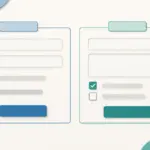
HTML Tutorial / Explain Forms with fieldset, legend, and autocomplete
Group related controls with fieldset and legend, and use suitable autocomplete tokens to describe the purpose of input fields.