
HTML Tutorial / Connect Labels and Inputs Correctly
An input receives a user's value; a label tells the user what the field is for. A reliable explicit association gives the input an id and gives the label a matching for value.
Connect a label to an input
<form action="" method="get">
  <label for="visitor-name">Name</label>
  <input id="visitor-name" name="name" type="text">
  <button type="submit">Check</button>
</form>
Place this code in an HTML file's body and open it in a browser. Clicking “Name” should focus the input. Merely placing the text next to a field does not automatically connect them. An id must be unique within the document; duplicate IDs can make a label target the wrong field.
Also press Tab to reach the field and check that the focused element is visible. The label is the control's name, not just decorative text. Assistive technology should be able to identify which field is focused.
Do id and name do the same job?
No. id identifies an element in the document and can link it to a label, fragment, or script. name is the key used when the form submits the value. Here, visitor-name is the label target, while name is the submission key.
If clicking the label does nothing, compare for with id. If typing works but the submitted URL lacks the value, check name. You can change id="visitor-name" to id="person-name" as long as you update the label's for; name="name" can stay the same if the server still expects that key.
A placeholder is not a label
A placeholder offers a short hint or example and disappears as a user types. It cannot replace a persistent field name. Keep a visible label and add the example separately.
<label for="email">Email address</label>
<input id="email" name="email" type="email"
       placeholder="name@example.com">
Even if a design hides a label visually, the field still needs an accessible name. Checkbox and radio inputs can also be nested inside a label, as in <label><input type="checkbox" name="agree"> I agree</label>. Click the label text to verify that the checkbox changes state. Choose clear wording before adjusting appearance. See the MDN label reference for association methods.

HTML Tutorial / Use textarea, select, option, and button
Create multi-line fields, selection lists, and form buttons while understanding initial values, submitted values, and reset behavior.

HTML Tutorial / Table Basics: table, tr, th, and td
Build a basic HTML data table with rows and header or data cells, then organize its headings and body without using tables for page layout.
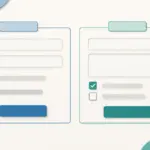
HTML Tutorial / Explain Forms with fieldset, legend, and autocomplete
Group related controls with fieldset and legend, and use suitable autocomplete tokens to describe the purpose of input fields.

HTML Tutorial / Accessible Tables: caption, scope, and Spanning Cells
Make table headings and data relationships clear with caption, th, and scope, and learn when colspan or rowspan makes a table harder to read.

HTML Tutorial / Group Images and Captions with figure and figcaption
Use figure and figcaption to keep an image and its visible explanation together, and distinguish captions from image alt text.

HTML Tutorial / Text Semantics: Emphasis, Quotations, Abbreviations, and Code
Learn when to use HTML em, strong, q, blockquote, abbr, code, and kbd. Examples show how each element conveys meaning rather than just changing the appearance of text.

HTML Tutorial / Links: Paths, Page Fragments, and Email
Create HTML links with absolute or relative URLs, jump to a document fragment, and add email, new-tab, or download links. Learn what to verify before publishing.

Learn the essential rules of HTML syntax, including elements, tags, attributes, void elements, comments, nesting, and the structure of a complete HTML document.

HTML Tutorial / Divide a Page with Semantic Elements
Learn when to use header, nav, main, article, section, aside, and footer, then build a complete page whose regions and in-page links work together.
HTML Tutorial / Form Validation with required, Length, and Range Limits
Apply built-in required, length, and numeric constraints, test error states, and understand why server-side validation remains necessary.