CSS word-break:控制单词内部换行
CSS word-break 决定单词内部哪些位置可以换行。用 keep-all 可以减少韩语词组内部的换行。如果只是 URL 或标识符太长,可以用 overflow-wrap: anywhere 在需要时增加换行。
word-break 的取值和适用范围
初始值是 normal。属性作用于文本,并会继承。中文、日语和韩语(CJK)的换行规则可能与拉丁字母语言不同。这些取值需要文本允许换行才会生效。
| 取值 | 行为与用途 |
|---|---|
normal |
使用语言和书写体系的常规换行规则。 |
keep-all |
限制 CJK 字符间换行。空格等有效位置仍可换行。 |
break-all |
允许在适用单词内部换行。拉丁字母单词即使能完整放到下一行,也可能在当前行末断开。 |
break-word |
已弃用的兼容值,效果等同于 normal 与 overflow-wrap: anywhere 的组合。 |
比较韩语文本、英语单词和长标识符
把完整代码保存为 word-break-example.html,再用浏览器打开。四张卡片含有相同的韩语、英语和无空格标识符。溢出的行可在卡片内横向滚动。
<!doctype html>
<html lang="zh-CN">
<head>
  <meta charset="utf-8">
  <meta name="viewport" content="width=device-width, initial-scale=1">
  <title>比较 CSS word-break 和 overflow-wrap</title>
  <style>
    body { margin: 1rem; font: 1rem/1.5 system-ui, sans-serif; }
    .examples {
      display: grid;
      grid-template-columns: repeat(auto-fit, minmax(min(100%, 10rem), 1fr));
      gap: 1rem;
      max-inline-size: 44rem;
    }
    figure { margin: 0; min-width: 0; }
    figcaption { margin-block-end: 0.4rem; overflow-wrap: anywhere; }
    .sample {
      box-sizing: border-box;
      inline-size: min(100%, 9rem);
      padding: 0.5rem;
      border: 1px solid #8baeca;
      background: #ebf4fa;
    }
    .sample p {
      margin: 0 0 0.5rem;
      overflow-x: auto;
    }
    .sample p:last-child { margin-block-end: 0; }
    .normal { word-break: normal; }
    .keep { word-break: keep-all; }
    .break { word-break: break-all; }
    .safe {
      word-break: keep-all;
      overflow-wrap: anywhere;
    }
  </style>
</head>
<body>
  <main class="examples">
    <figure>
      <figcaption>normal</figcaption>
      <div class="sample normal">
        <p lang="ko">한국어 단어단위로 줄바꿈합니다</p>
        <p lang="en">Read configuration slowly.</p>
        <p class="token" lang="en">BuildConfigurationIdentifier2026Preview</p>
      </div>
    </figure>
    <figure>
      <figcaption>keep-all</figcaption>
      <div class="sample keep">
        <p lang="ko">한국어 단어단위로 줄바꿈합니다</p>
        <p lang="en">Read configuration slowly.</p>
        <p class="token" lang="en">BuildConfigurationIdentifier2026Preview</p>
      </div>
    </figure>
    <figure>
      <figcaption>break-all</figcaption>
      <div class="sample break">
        <p lang="ko">한국어 단어단위로 줄바꿈합니다</p>
        <p lang="en">Read configuration slowly.</p>
        <p class="token" lang="en">BuildConfigurationIdentifier2026Preview</p>
      </div>
    </figure>
    <figure>
      <figcaption>keep-all + anywhere</figcaption>
      <div class="sample safe">
        <p lang="ko">한국어 단어단위로 줄바꿈합니다</p>
        <p lang="en">Read configuration slowly.</p>
        <p class="token" lang="en">BuildConfigurationIdentifier2026Preview</p>
      </div>
    </figure>
  </main>
</body>
</html>
使用 normal 时,韩语可以在词组内部换行。第二和第四张卡片使用 keep-all,优先在词组之间的空格处换行。
第三张卡片的 break-all 可以在行末切分 configuration。在第四张卡片中,该单词完整移到下一行。更长的标识符仍会断开,因为单独一行也放不下。
只在有需要时增加应急换行
没有合适的换行点且文本将溢出时,overflow-wrap: anywhere 允许在字符串内部换行。与 word-break: keep-all 配合,可以保留放得下的韩语词组,并处理超长 URL 或标识符。break-all 适合确实需要切分的窄代码列等用途。
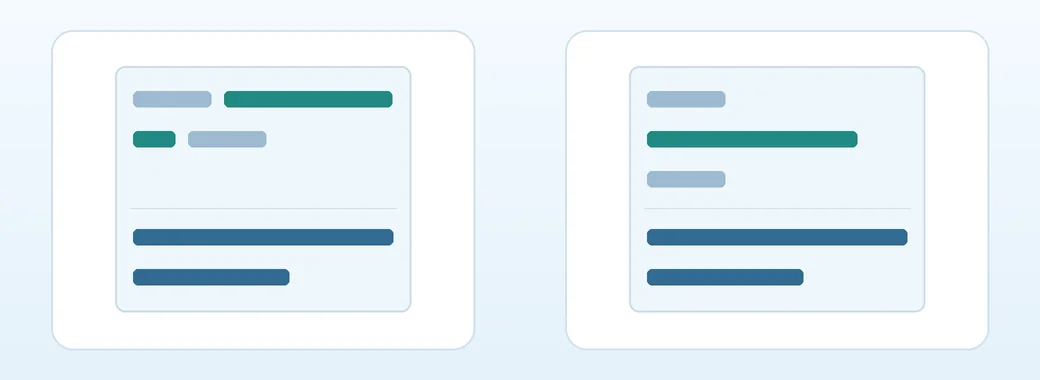
overflow-wrap: break-word 的应急换行机会不计入最小内容宽度(min-content)。overflow-wrap: anywhere 会把这些机会计入。这个区别会影响较窄的 Grid 列,也与替换旧的 word-break: break-word 有关。
使用语言标记和 wbr
用 lang 指定实际文档语言,也标记文中其他语言的片段。中文或日语正文常可使用默认换行。希望短标题只在指定短语边界换行时,可以将 keep-all 与明确的换行点结合。
下面的 <wbr> 标记可选换行点。浏览器可在宽度不足时使用这些位置,标记不会插入连字符。
<span>Build<wbr>Configuration<wbr>Identifier</span>排查不换行和内容溢出
- 检查
white-space的计算值。nowrap会禁止换行,需要换行时请选择允许换行的值。 - 如果 Flexbox 或 Grid 项目无法缩小,可以在该项目上试用
min-inline-size: 0,然后检查折行和裁切。 - 在窄屏下试用真实的韩语、英语单词和 URL。URL 中的斜杠可能已经提供正常的换行机会。