Category: jQuery

jQuery .before(): Insert Content as the Previous Sibling
Use jQuery .before() to insert delivery notes before order summaries and a callback to generate a different note for each order.

jQuery .attr(): Read and Set HTML Attributes
Use jQuery .attr() to read and update HTML attributes, compute different values for individual elements, and distinguish markup from live form state.

jQuery .after(): Insert Content as the Next Sibling
Use jQuery .after() to put a status and next step after each job heading and compare the order from one call and consecutive calls.

jQuery .find(): Select Matching Descendants
Use jQuery .find() to select descendants in a container, compare it with .children(), .filter(), and .has(), and diagnose empty results in a runnable example.
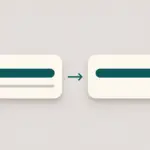
jQuery .removeAttr(): Delete HTML Attributes
Use jQuery .removeAttr() to delete one or more HTML attributes. Compare deletion with an empty value and test how an input value and checkbox state behave.
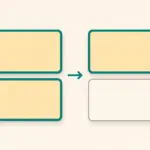
jQuery .removeClass(): Remove Specific or All Classes
Use jQuery .removeClass() to clear selected class names or all classes. Compare the results in a browser, preserve base classes, and use a callback to remove state names.
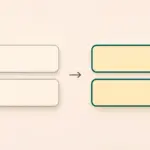
jQuery .addClass(): Add One or More CSS Classes
Use jQuery .addClass() to add class names while preserving existing ones. Test repeated additions and removal, generate per-item names, and inspect why a style might not apply.

jQuery .addBack(): Include the Previous Traversal Selection
Use jQuery .addBack() to combine the current selection with the previous one. Compare its selector, a preceding .filter(), .add(), and .end() in a running example.

jQuery .add(): Combine Element Selections
Use jQuery .add() to combine selections without duplicating elements. Check scope and document order in a runnable example, then insert an HTML node you added to the selection.

jQuery .prepend(): Insert Content as the First Child
Add announcements to the top of a list with jQuery .prepend() and compare how one call and separate calls affect their order.