jQuery .removeAttr():删除 HTML 属性
.removeAttr() 从匹配的元素上删除指定的 HTML 属性。属性名用空格分隔就能一次删除多个。例如,删除 placeholder 后,已经输入的文字仍会保留。
删除一个或多个属性
传入 "placeholder title" 这样的属性名字符串。选择器写在 $("#name") 中,.removeAttr() 的参数只写属性名。删除不存在的属性没有效果。方法返回操作过的 jQuery 对象。jQuery API — .removeAttr()
$("#name").removeAttr("placeholder");
$("#name").removeAttr("placeholder title");
移除输入提示并保留已输入文字
将完整代码以 UTF-8 保存为 jquery-removeattr.html 后打开。示例从官方 CDN 加载 jQuery 4.0.0,需要联网。输入姓名后点击“删除提示属性”。
<!doctype html>
<html lang="zh-CN">
<head>
  <meta charset="utf-8">
  <meta name="viewport" content="width=device-width, initial-scale=1">
  <title>jQuery .removeAttr() 示例</title>
  <style>
    body { margin: 24px; font: 1rem/1.6 system-ui, sans-serif; overflow-wrap: anywhere; }
    label { display: block; }
    button, input { font: inherit; }
    input { box-sizing: border-box; max-width: 100%; border: 2px solid #a1a7ad; padding: .4rem; }
    input[placeholder] { border-color: #08716d; }
    .actions { display: flex; flex-wrap: wrap; gap: .5rem; margin-top: .75rem; }
  </style>
  <script src="https://code.jquery.com/jquery-4.0.0.min.js"></script>
</head>
<body>
  <main>
    <h1>jQuery .removeAttr() 示例</h1>
    <label for="name">姓名</label>
    <input id="name" type="text" placeholder="例如:李晓" title="姓名提示">
    <div class="actions">
      <button id="empty" type="button">清空提示值</button>
      <button id="remove" type="button">删除提示属性</button>
    </div>
    <p id="output" role="status"></p>
  </main>
  <script>
    $(function () {
      const $name = $("#name");

      function report() {
        const present = $name[0].hasAttribute("placeholder");
        $("#output").text("存在 placeholder: " + present +
          " / " + "当前值: " + $name.val());
      }

      $("#empty").on("click", function () {
        $name.attr("placeholder", "");
        report();
      });

      $("#remove").on("click", function () {
        $name.removeAttr("placeholder title");
        report();
      });

      report();
    });
  </script>
</body>
</html>
placeholder 和 title 消失,状态行显示 false 和刚输入的姓名。输入框的 label 保留。要清空当前输入值,请向 .val() 传入空字符串。
比较空属性值和删除属性
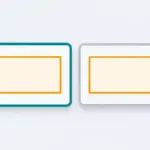
重新加载后点击“清空提示值”。.attr() 将 placeholder 的值设为空字符串,提示文字消失,但 placeholder="" 仍在。状态为 true,CSS 的 [placeholder] 规则让边框继续显示蓝绿色。
再点击“删除提示属性”。状态变为 false,边框变灰。在开发者工具的元素面板中比较属性,或者运行 document.getElementById("name").hasAttribute("placeholder")。
区分复选框的默认状态与当前状态
HTML 的 checked 属性定义默认勾选状态,checked 属性值在 DOM 对象上对应当前勾选状态。直接设置对象的当前状态后,删除 HTML 属性可能不会改变勾选。用 .prop() 读取或修改当前状态。
const $box = $('<input type="checkbox" checked>');
$box.prop("checked", true);
$box.removeAttr("checked");
console.log($box[0].defaultChecked, $box.prop("checked")); // false true
$box.prop("checked", false);
console.log($box.prop("checked")); // false
在示例控制台运行这段代码。第一次输出 false true,默认不勾选,但当前仍勾选。最后一次调用才把当前状态设为 false。如要启用禁用的字段,可使用 .prop("disabled", false)。
处理无障碍属性和事件
控制折叠区域的按钮在内容收起时使用 aria-expanded="false"。删除该属性不能以同样的方式传达收起状态。让属性匹配内容的实际显示状态。WAI-ARIA APG — Disclosure Pattern
删除内联 onclick 属性不会移除通过 .on() 注册的处理程序。用 .off() 指定对应的事件及处理程序或命名空间来解除绑定。