jQuery .removeClass():删除指定的类或全部类
.removeClass("active") 从每个匹配元素上删除 active,并保留其他类。不带参数的 .removeClass() 会清除选中元素的全部类名。
删除指定类或全部类的语法
用 $(".item") 选择元素,把 "active" 作为要删除的名称传入。点号属于 CSS 选择器。下面四行是单独的调用示例。
$(".item").removeClass("active");
$(".item").removeClass("marked active");
$(".item").removeClass(["marked", "active"]);
$(".item").removeClass();
可以用空格分隔的字符串或数组一次删除多个名称。jQuery 从 3.3 起支持数组。名称不存在时,类列表保持原样。该方法返回原来操作的 jQuery 对象。jQuery API — .removeClass()
运行示例,保留基础类
将完整代码以 UTF-8 保存为 jquery-removeclass.html,再用浏览器打开。示例需要联网从官方 CDN 加载 jQuery 4.0.0。两项的初始类都是 item base marked active。
<!doctype html>
<html lang="zh-CN">
<head>
  <meta charset="utf-8">
  <meta name="viewport" content="width=device-width, initial-scale=1">
  <title>jQuery .removeClass() 示例</title>
  <style>
    body { margin: 24px; font: 1rem/1.6 system-ui, sans-serif; overflow-wrap: anywhere; }
    .actions { display: flex; flex-wrap: wrap; gap: .5rem; }
    button { font: inherit; }
    .base { padding: .65rem; border: 2px solid #a1a7ad; border-radius: .4rem; }
    .marked { background: #fff0b3; border-color: #08716d; }
    .active { color: #751438; font-weight: 700; }
  </style>
  <script src="https://code.jquery.com/jquery-4.0.0.min.js"></script>
</head>
<body>
  <main>
    <h1>jQuery .removeClass() 示例</h1>
    <div class="actions">
      <button id="specific" type="button">清除指定高亮</button>
      <button id="all" type="button">删除 B 的全部类</button>
      <button id="reset" type="button">恢复初始状态</button>
    </div>
    <p id="a" class="item base marked active">A. 第一项</p>
    <p id="b" class="item base marked active">B. 第二项</p>
    <p id="output" role="status"></p>
  </main>
  <script>
    $(function () {
      const $a = $("#a");
      const $b = $("#b");

      function report() {
        const a = $a.attr("class") || "—";
        const b = $b.attr("class") || "—";
        $("#output").text("A: " + a + " / B: " + b);
      }

      $("#specific").on("click", function () {
        $a.removeClass("active");
        $b.removeClass(["marked", "active"]);
        report();
      });

      $("#all").on("click", function () {
        $b.removeClass();
        report();
      });

      $("#reset").on("click", function () {
        $a.add($b).attr("class", "item base marked active");
        report();
      });

      report();
    });
  </script>
</body>
</html>
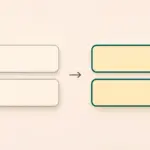
点击“清除指定高亮”。A 去掉 active,保留高亮背景和边框。B 去掉 marked 和 active,恢复灰色基础边框。状态行显示 A 为 item base marked,B 为 item base。
点击“删除 B 的全部类”。B 的 base 和 item 也被删除,边框消失,.item 不再选中 B。“恢复初始状态”会恢复两项的初始类列表。
用回调选择要删除的状态类
要根据当前类决定删哪些名称,可以传入回调。index 是当前匹配集合中从零开始的位置,currentClassName 是调用时的类字符串。下面的代码先添加两个状态名,再只返回以 state- 开头的类。
$("#a").addClass("state-pending");
$("#b").addClass("state-done");

$("#a, #b").removeClass(function (index, currentClassName) {
  return currentClassName.split(/\s+/)
    .filter(name => name.startsWith("state-"));
});
恢复初始状态后在控制台运行代码。A 的 state-pending 和 B 的 state-done 会被删除,两项都保留 item base marked active。在应用中使用前缀时,先确认所有同前缀的类都属于要清除的状态。
类已删除但样式仍然存在时
先在元素面板检查 class。如果名称已消失但外观没变,在计算样式中确认属性来自其他类、元素规则还是行内样式。剩余规则仍会影响外观。
例如,在控制台执行 $("#b").css("color", "purple")。删除 active 后,行内颜色仍然存在。要只清除测试颜色,运行 $("#b")[0].style.removeProperty("color")。
重新添加类或按条件设置类
只清除某种状态时,把名称传给 .removeClass()。用 .addClass() 添加状态。要根据布尔条件添加或删除类,使用 .toggleClass(),例如 .toggleClass("active", isActive)。