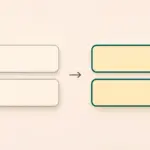
jQuery :button 选择器会匹配哪些元素?
jQuery 的 :button 会匹配所有 <button> 元素,以及类型为 button 的 <input> 元素。只要使用 <button> 标签,提交按钮、重置按钮和禁用按钮也会被选中。
哪些元素会匹配 :button
根据 jQuery :button 文档,:button 按元素名称匹配。对于 input 元素,还会检查 type 属性的值。
类型为 submit、reset 或 image 的 input 不会被选中。下表使用与示例相同的 ID。
| ID | HTML 元素 | 是否匹配 |
|---|---|---|
a |
<input type="button"> |
是 |
b |
<button type="button"> |
是 |
c |
<button type="submit"> |
是 |
d |
<input type="submit"> |
否 |
e |
<input type="reset"> |
否 |
f |
<button type="reset"> |
是 |
g |
<button type="button" disabled> |
是 |
限定范围并筛选可用按钮
$(":button") 会在整个文档中查找。要把范围限定在 #controls 容器内,可对该容器调用 .find(":button")。第二次查找使用标准 CSS 选择器,在本例中得到相同结果。
const $controls = $("#controls");

$controls.find(":button");
$controls.find("button, input[type='button']");
$controls.find(":button").filter(":enabled");
:button 是 jQuery 的扩展。调用 querySelectorAll() 时,可以使用 CSS 选择器 button, input[type='button']。只需要可用按钮时,可以像第三次查找那样使用 jQuery :enabled 进行筛选。
在浏览器中运行示例
将下面的代码以 UTF-8 编码保存为 example.html。用联网的浏览器打开文件,以便加载 jQuery 4.1.0。所有控件都在 div 中,因此点击提交或重置按钮不会触发表单操作。
<!doctype html>
<html lang="zh-CN">
<head>
  <meta charset="utf-8">
  <meta name="viewport" content="width=device-width, initial-scale=1">
  <title>测试 jQuery :button 选择器</title>
  <style>
    body { max-width: 34rem; margin: 1rem auto; padding: 0 1rem; font: 1rem/1.5 system-ui; }
    button, input { font: inherit; max-width: 100%; }
    #controls { display: flex; flex-wrap: wrap; gap: .5rem; margin-bottom: 1rem; }
    .marked { background: #fff0b3; border: 2px solid #835b00; }
  </style>
  <script src="https://code.jquery.com/jquery-4.1.0.min.js"></script>
</head>
<body>
  <div id="controls">
    <input id="a" type="button" value="输入式按钮">
    <button id="b" type="button">普通按钮</button>
    <button id="c" type="submit">提交按钮</button>
    <input id="d" type="submit" value="提交输入控件">
    <input id="e" type="reset" value="重置输入控件">
    <button id="f" type="reset">重置按钮</button>
    <button id="g" type="button" disabled>禁用按钮</button>
  </div>
  <button id="outside" type="button">容器外的按钮</button>
  <dl aria-live="polite">
    <dt>全部匹配项</dt><dd id="all-matches">—</dd>
    <dt>可用的匹配项</dt><dd id="enabled-matches">—</dd>
  </dl>
  <script>
    $(function () {
      const $buttons = $("#controls").find(":button");
      const ids = elements => elements.get().map(element => element.id).join(", ");

      $buttons.addClass("marked");
      $("#all-matches").text(ids($buttons));
      $("#enabled-matches").text(ids($buttons.filter(":enabled")));
    });
  </script>
</body>
</html>
第一行显示 a, b, c, f, g。这五个元素都通过 jQuery .addClass() 方法 添加了背景和边框,包括禁用的 g。第二行显示 a, b, c, f,只包含可用按钮。容器外的按钮没有高亮。
设置表单中的按钮类型
在普通表单中,未设置 type 的 <button> 可能会提交表单。如果点击时只需执行 JavaScript,请显式设置 type="button"。各类型的行为见 HTML button 元素规范。
需要为一组控件应用样式时,可以用 :button。判断单个按钮的点击行为时,应查看 type 属性和表单逻辑。